
Appearance
Becoming a Partner
Partners are companies that build integrations with POS Hub: POS platforms, order channels such as marketplaces and ordering apps, and last-mile delivery services. You can set up your partner workspace yourself, in a few minutes.
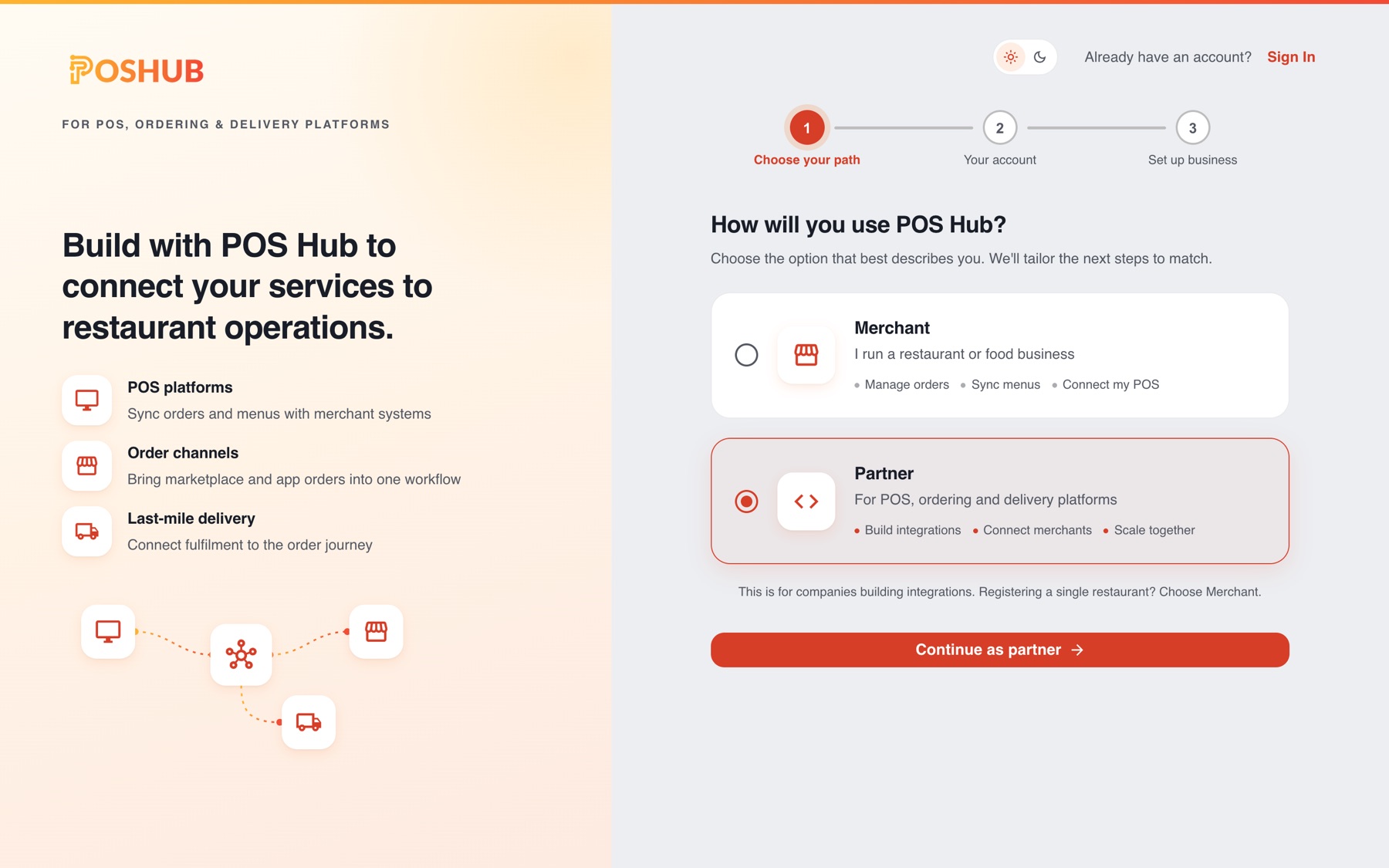
Set up your partner workspace
- Go to the POS Hub sign-up page, choose Partner and select Continue as partner.
- Create your login and verify your email address. Already have a POS Hub login? Sign in instead, or, if you are already signed in, open the account menu in the dashboard and select Create account or reseller.
- In Set up business:
- Region: where your company operates. It decides which POS Hub team supports you and your billing currency.
- Partner type: POS platform, Order channel, Last-mile delivery or Other. We enable the matching starter applications for you.
- Plan: every new workspace starts on the Sandbox Plan.
- Business details: your registered company name and address, your company website (optional; only the domain is kept), business phone, timezone and billing email.
- Select Create workspace.
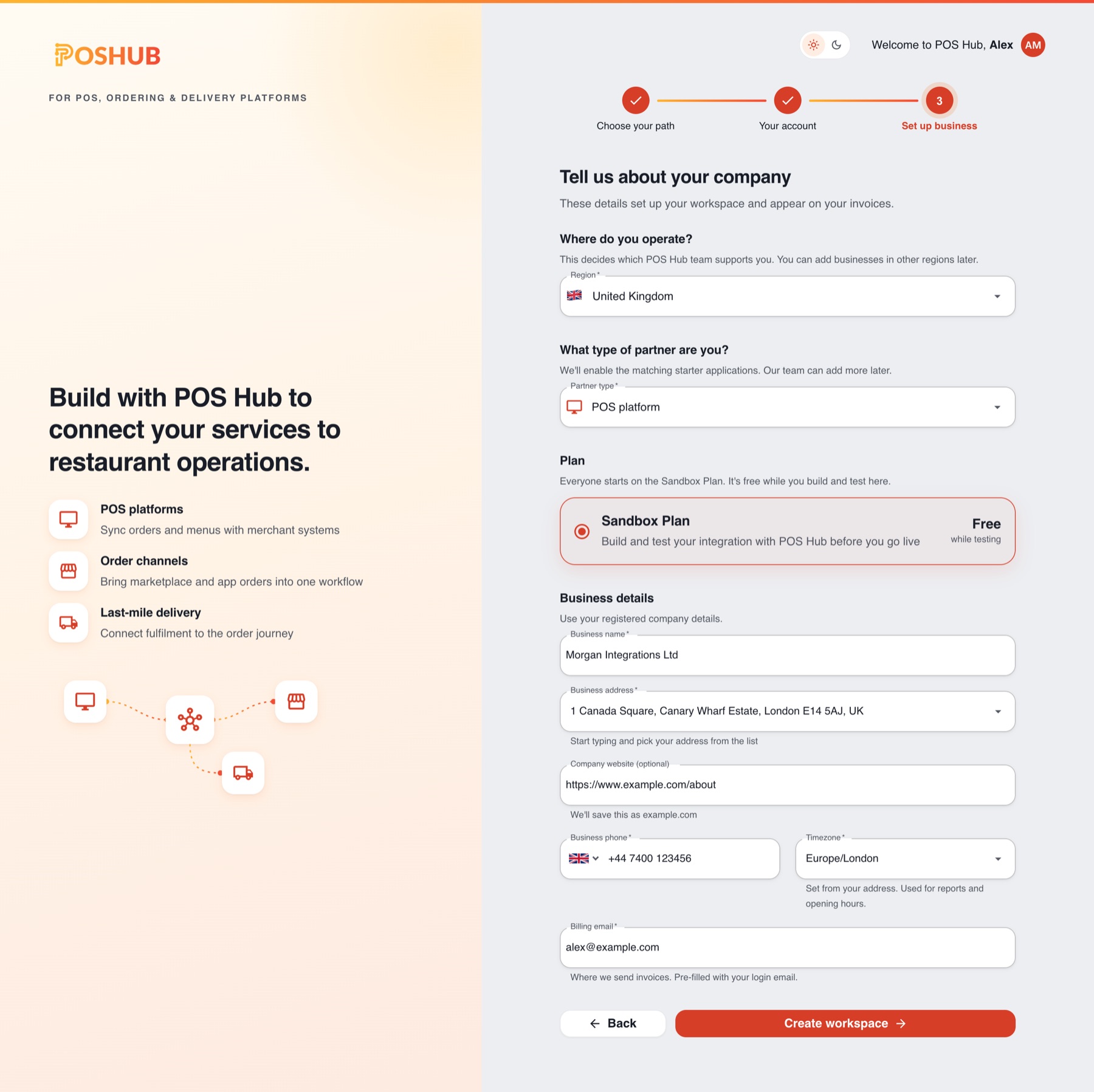
POS Hub opens your new workspace. Next, create an application to start building your integration. We recommend building and testing in the Test environment first.
See Sign Up for a step-by-step walkthrough of every screen.
Need something different?
To discuss a reseller partnership, such as offering POS Hub to the merchants you serve, contact support [at] tryposhub.com with your company name, a contact person, the number of locations you plan to manage and the services you plan to offer.