
Appearance
Creating a Merchant Account
After you have registered for a POS Hub account, you will be greeted with with the Create Account form. This form will allow you to create a merchant account that will be used to manage your store(s) and applications.
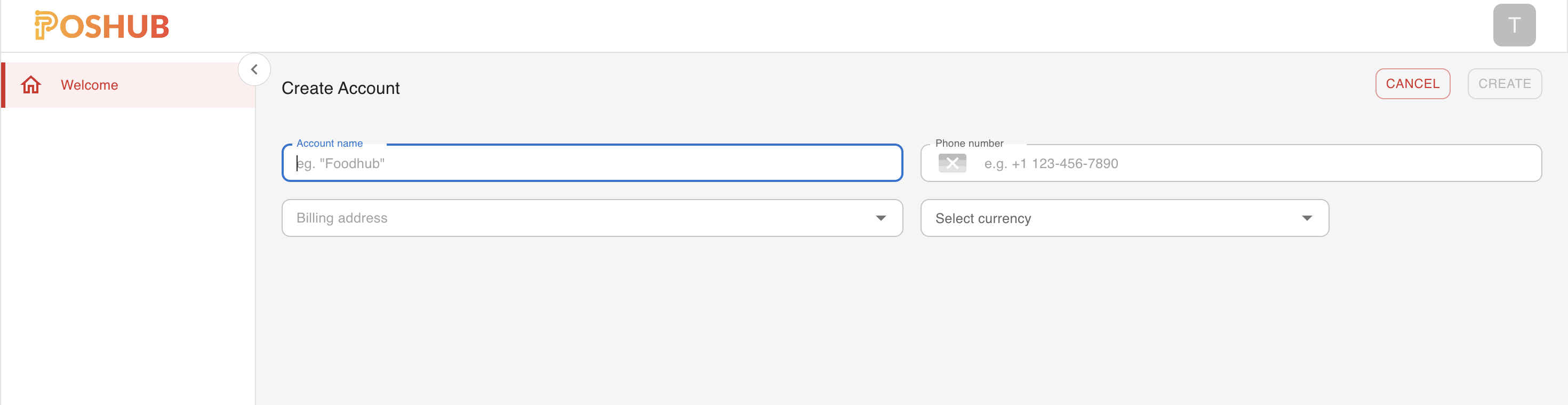
Account Name: This is the name of your merchant account. It will be used to identify your account in the POS Hub platform, this name will be visible on billing, reporting and analytics.
Account Currency: This is the currency that will be used for billing and reporting. The currency you select here will be used to calculate the charges for the services you use on the POS Hub platform.
Business Phone: This number will be used to contact you in case of any issues with your account, it will also be used for verification purposes and to send you important notifications.
Business Address This is the billing address for your account. It will be used to calculate taxes and other charges that may be applicable to your account, as well as apear on invoices and receipts.
WARNING
The currency you select here cannot be changed once the account is created.
Once you have filled out the form, click on the Create Account button to create your merchant account. You will be redirected to the POS Hub dashboard where you can now create and manage locations, applications and more. to get started with creating your first location, follow the Create Location guide.